Rebound
 Rebound
Back up a site
A backup copies the database tables and files you choose. Unchanged files and tables are stored once, so every backup is complete even though later backups only transfer what changed.
Applies to: Rebound 2.0
To back up a site
- Choose Backup and pick the site, or click Back up next to a site on the overview.
- Choose what to copy: a preset (Everything, Site content, Database + media, Database only) or tick individual tables, plugins, themes, media and core files.
- Under Save the backup to, choose a destination (see Destinations).
- Click Start backup.
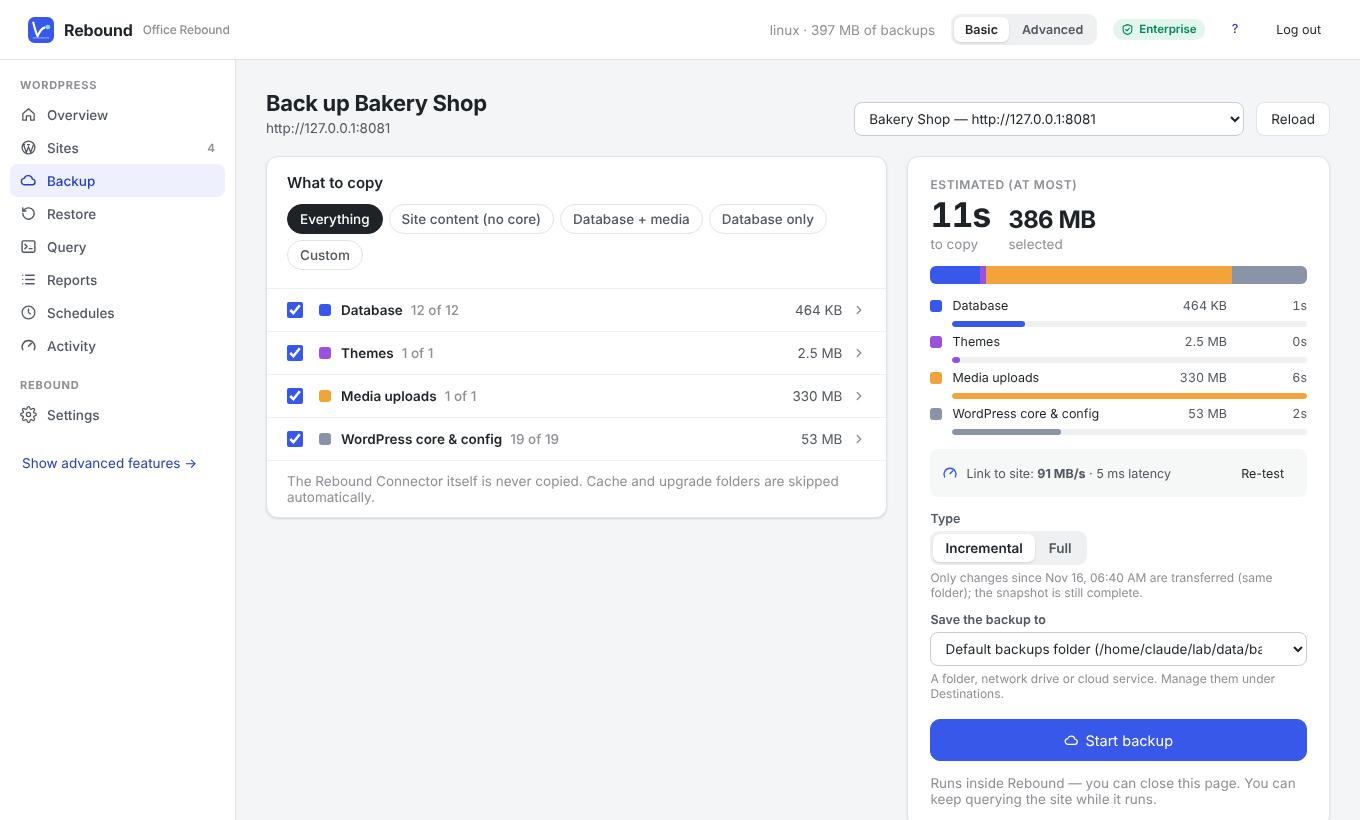
The estimate on the right is based on the sizes Rebound read from the site and a short speed test of the connection.
Progress
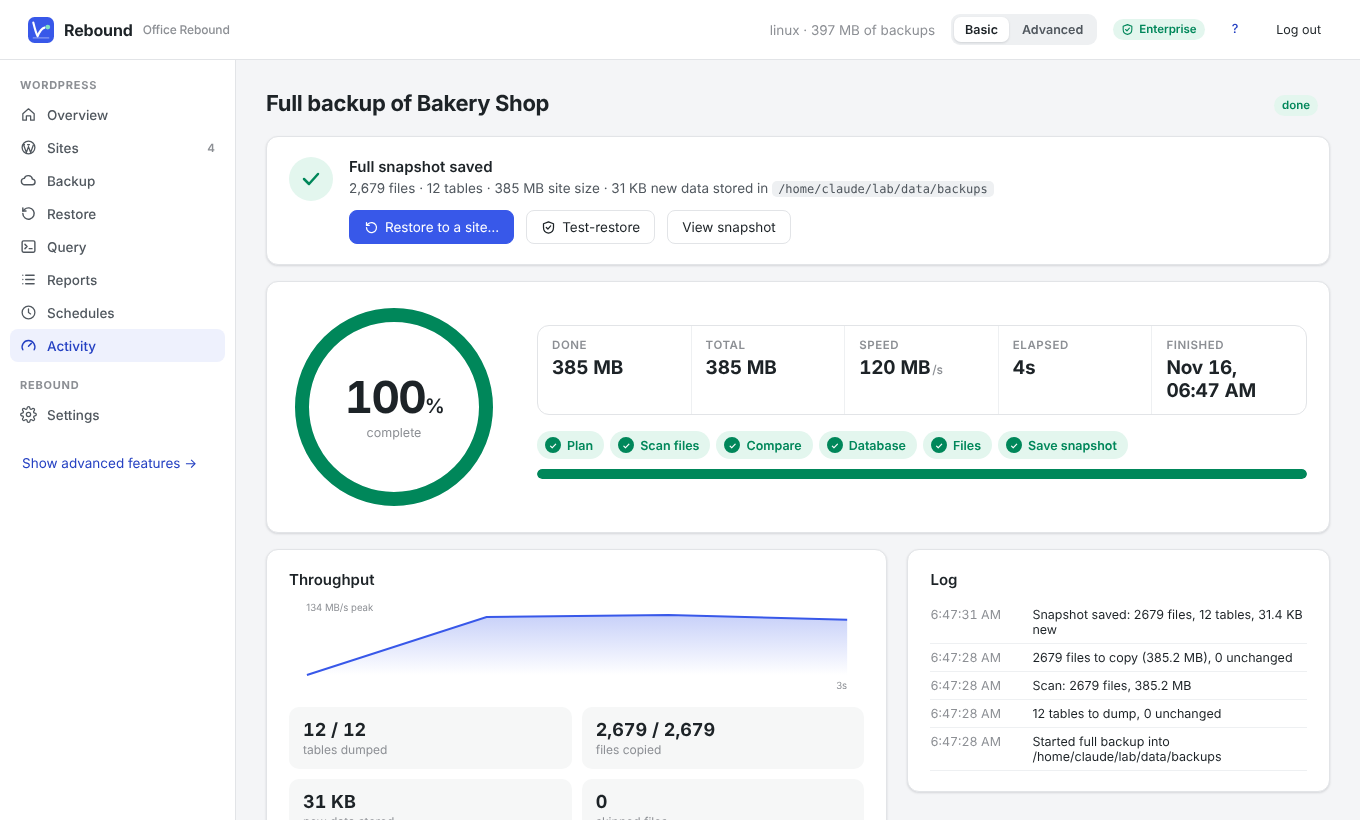
While the backup runs you see the percentage, the amount transferred, the speed and the time left. The backup runs inside Rebound, so you can close the page; the progress pill at the top shows running jobs on every page.
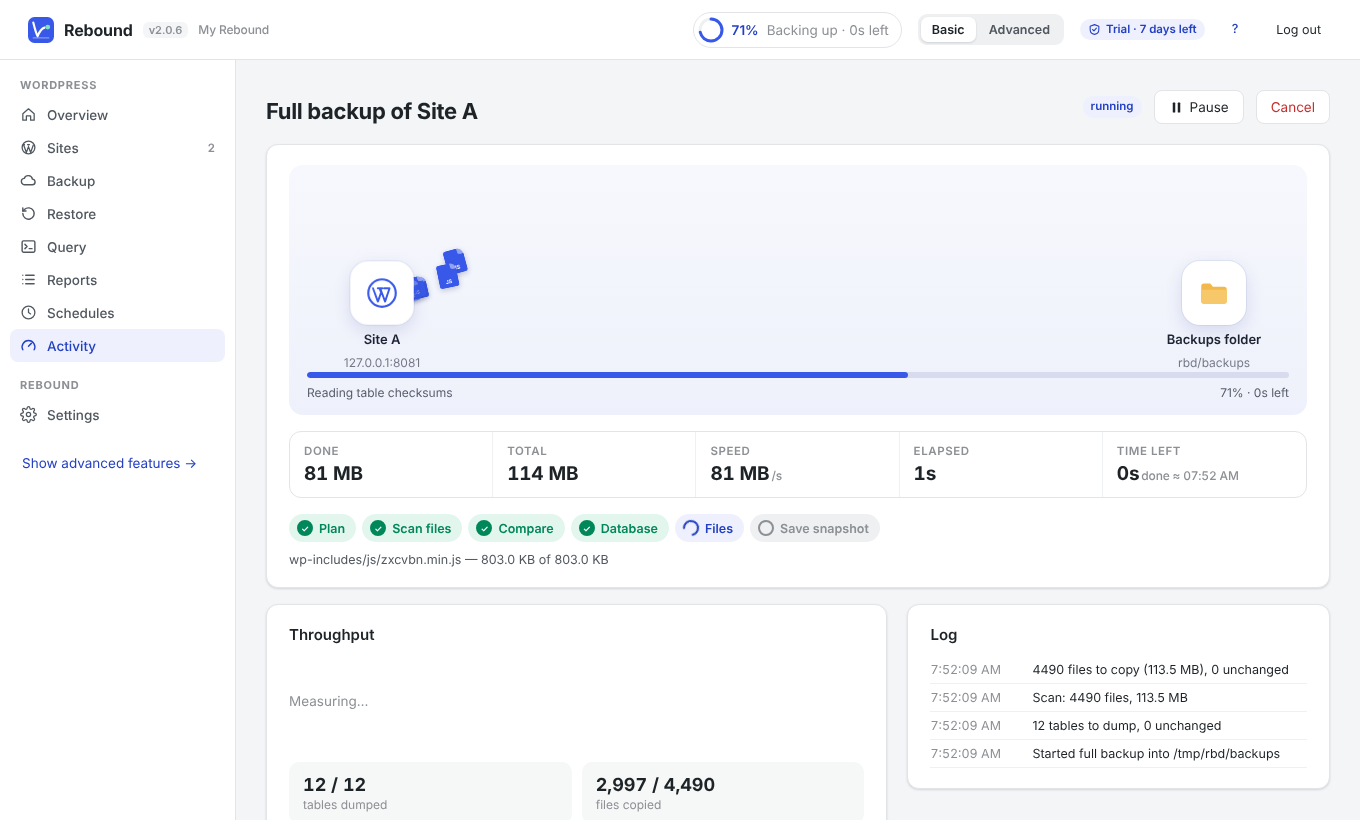
You can Pause, Resume or Cancel a backup. If Rebound is stopped during a backup, the job resumes where it stopped.
Tip You can keep running queries on the site while it is being backed up — the live query uses its own connection and answers immediately.
You see the files fly from the site to the folder or cloud storage. To show a ring or a bar instead, choose Settings → Progress display. See Backup and restore routes.
Copy a site to another site
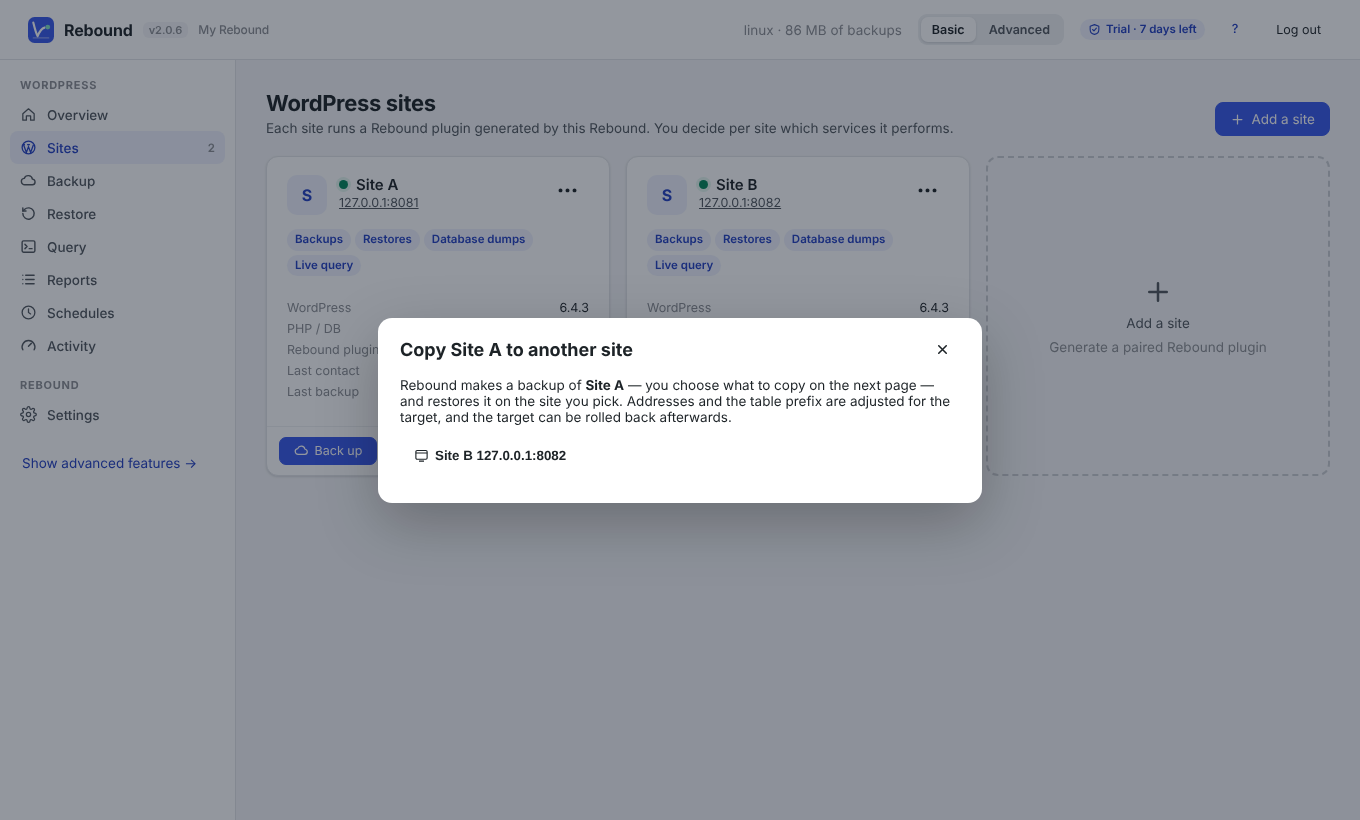
On Sites, open the ••• menu of a site and choose Copy to another site…, then pick the target. Rebound opens the backup page with When the backup finishes → Restore to that site already chosen: pick what to copy and click Start backup. Both sites need the Rebound plugin; nothing passes through your browser.
Full and incremental backups
| Type | What is transferred | Result |
|---|---|---|
| Full | Everything you selected | A complete snapshot |
| Incremental | Only files and tables that changed since the last backup to the same destination | Also a complete snapshot — unchanged data is shared |
The first backup to a destination is always full. Incremental backups need Rebound Pro.