 Rebound
 Rebound
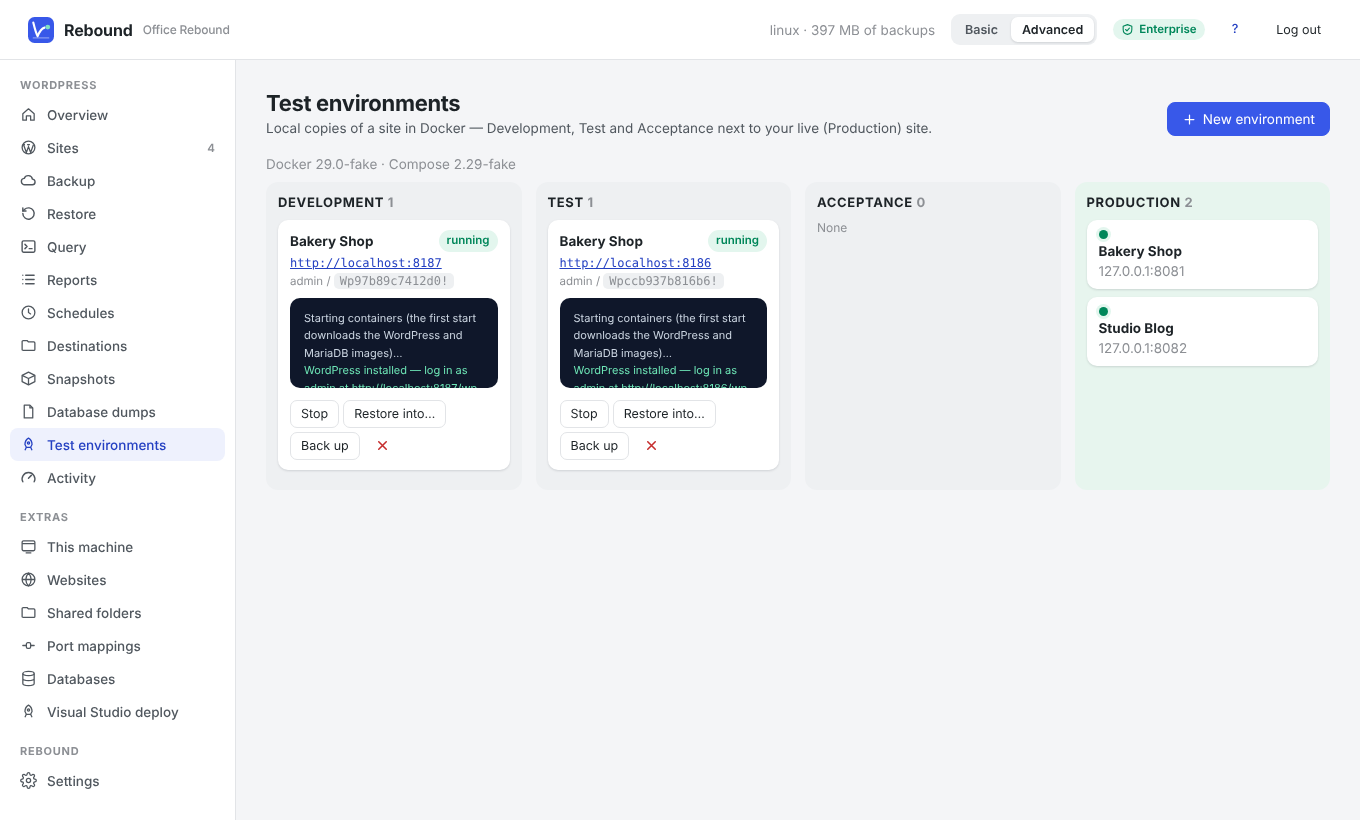
Test environments (DTAP)
A test environment is a local copy of a site that runs in Docker on the Rebound computer. Use it to try updates, plugins or changes before they reach the live site.
Applies to: Rebound 2.0 Enterprise · Advanced mode · Docker Desktop (Windows, macOS) or Docker Engine with the compose plugin (Linux)
To create a test environment
- Install and start Docker.
- Choose Test environments → New environment.
- Enter a name, choose the stage (Development, Test or Acceptance) and, optionally, a backup to start from.
- Click Create.
Rebound creates a folder with a docker-compose.yml (WordPress + MariaDB), starts it, installs WordPress, adds the Rebound plugin, connects the environment as a site, and restores the chosen backup into it with addresses rewritten to http://localhost:<port>. The administrator password is shown on the card.
Working with stages
Every environment is also a normal site in Rebound: back it up, query it, run reports on it, and restore a backup of it onward — for example from Test to Acceptance, and finally to the live site (Production).
Note The environment folder contains the site's files (wordpress) and database (db). Removing an environment stops and removes its containers but keeps the folder, so nothing is lost by accident.