 Rebound
 Rebound
Query a database
Run read-only SQL on a live site's database, or on an offline copy of a backup.
Applies to: Rebound 2.0 · offline queries need Rebound Pro
To query a live site
- Choose Query and pick the site.
- Click a table on the left to see its first rows, or write a query.
- Click Run (or press Ctrl+Enter). Export the result as CSV.
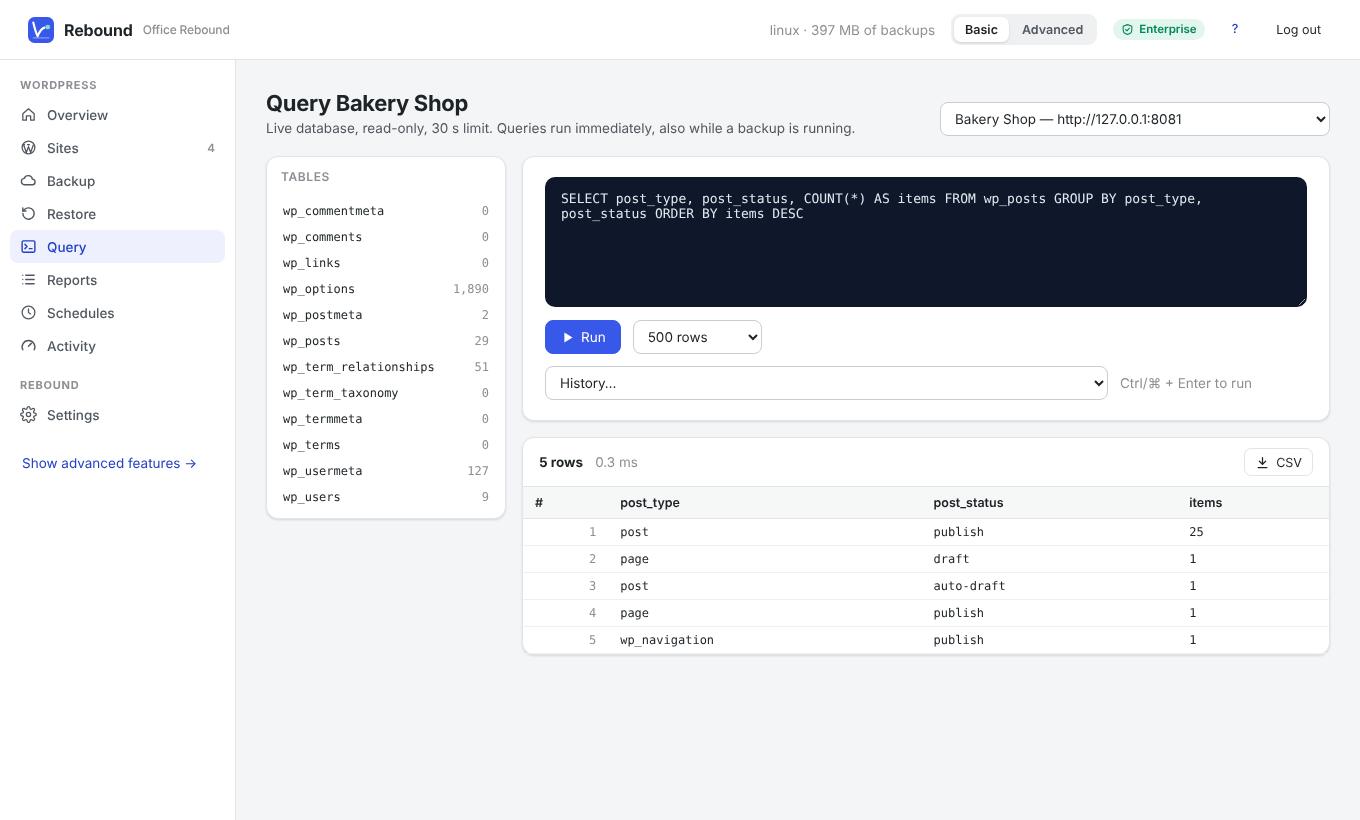
Only SELECT, SHOW, DESCRIBE, EXPLAIN and WITH are allowed. Queries run in a read-only transaction with a 30-second limit. They answer immediately, also while a backup of the same site is running.
To query an offline copy
- Open a backup under Snapshots and choose Export database as .sql + SQLite — or add an existing
.sql/.sql.gzfile (from mysqldump, phpMyAdmin or another tool) under Database dumps → Use an existing dump. - Rebound turns the MySQL/MariaDB dump into a SQLite database.
- Under Query → Offline copies, choose the copy and query it. Write SQLite syntax (for example
substr()andstrftime()).
★
Tip Reports can run on offline copies too.